Introduction
Digital dentistry has changed how dental laboratories receive case data, produce models and control repeatability. For a full-service dental lab, 3D printing is no longer only a technical upgrade. It is part of a wider workflow that connects digital case files, production scheduling, post-processing and quality inspection.
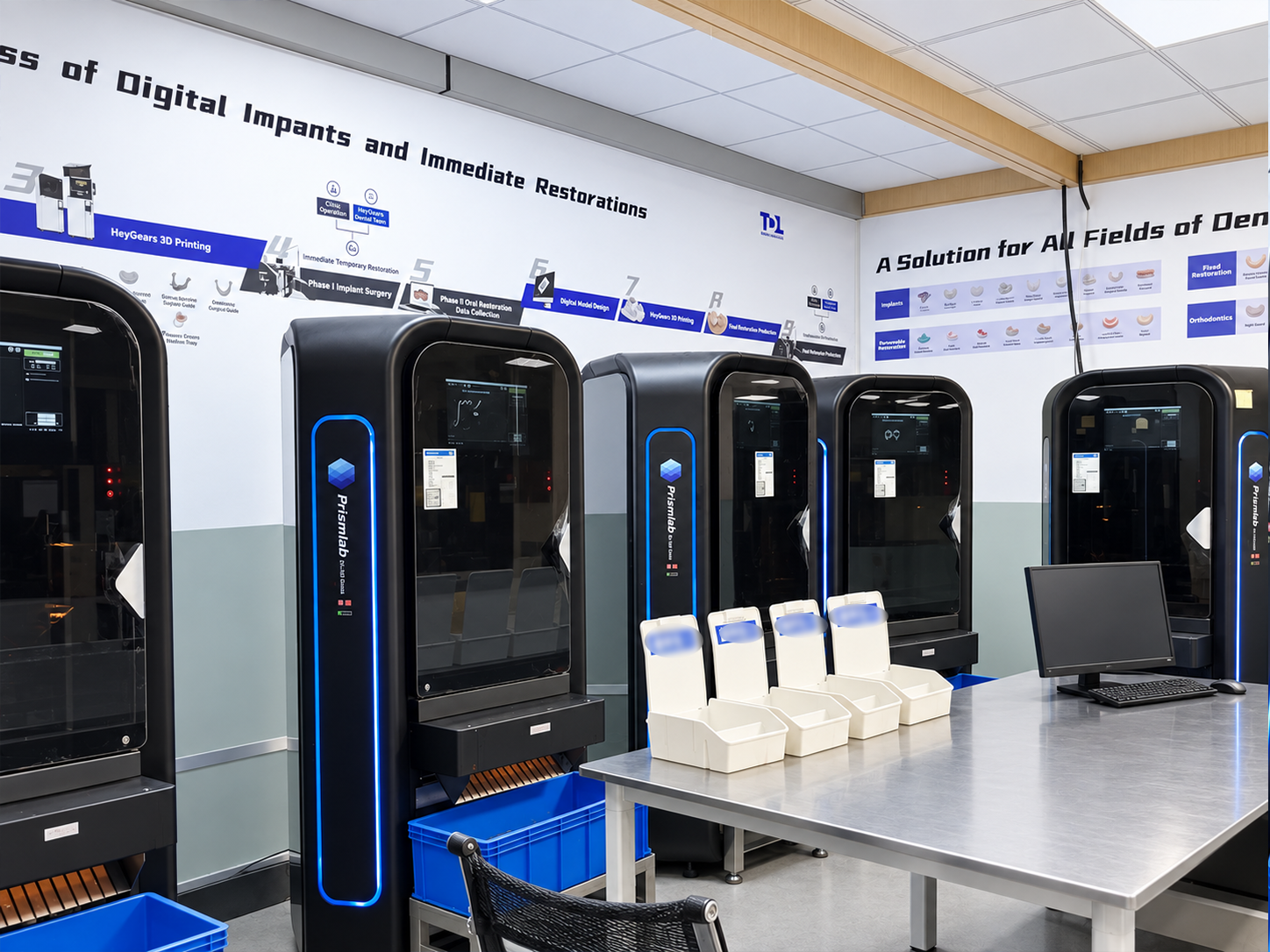
Times Dental Lab has introduced Prismlab 3D printing equipment to support the production of orthodontic models, restoration working models and clear aligner models. The goal is to improve production efficiency while keeping the model workflow traceable, standardized and easier to check before delivery.
Quick Answer
Times Dental Lab uses Prismlab 3D printing equipment for dental model production, including orthodontic models, general restoration working models and aligner models. The workflow includes file review, layout and support design, printing, removal, cleaning, curing, support removal and final inspection. According to Times production statistics from January to September 2026, one batch can print about 70 models in around 3 hours, with monthly output of about 5,000 models.
What Dental Models Are Produced With 3D Printing?
The 3D printing workflow at Times Dental Lab is used for model categories that require repeatable digital production rather than traditional manual model pouring alone. These include orthodontic dental models, regular restoration working models and clear aligner models.
Each model type has a different purpose. Orthodontic models support case review and appliance-related production. Restoration working models help technicians evaluate dental arches, contacts, occlusion and case details. Aligner models support clear aligner workflows where multiple staged models may be needed.
The laboratory still needs complete case data before production. A digital file alone is not enough if the scan is incomplete, the arch information is unclear or the requested model type is not specified. For related file-preparation guidance, see the Times dental lab case submission checklist.
What Prismlab Material Model Is Used?
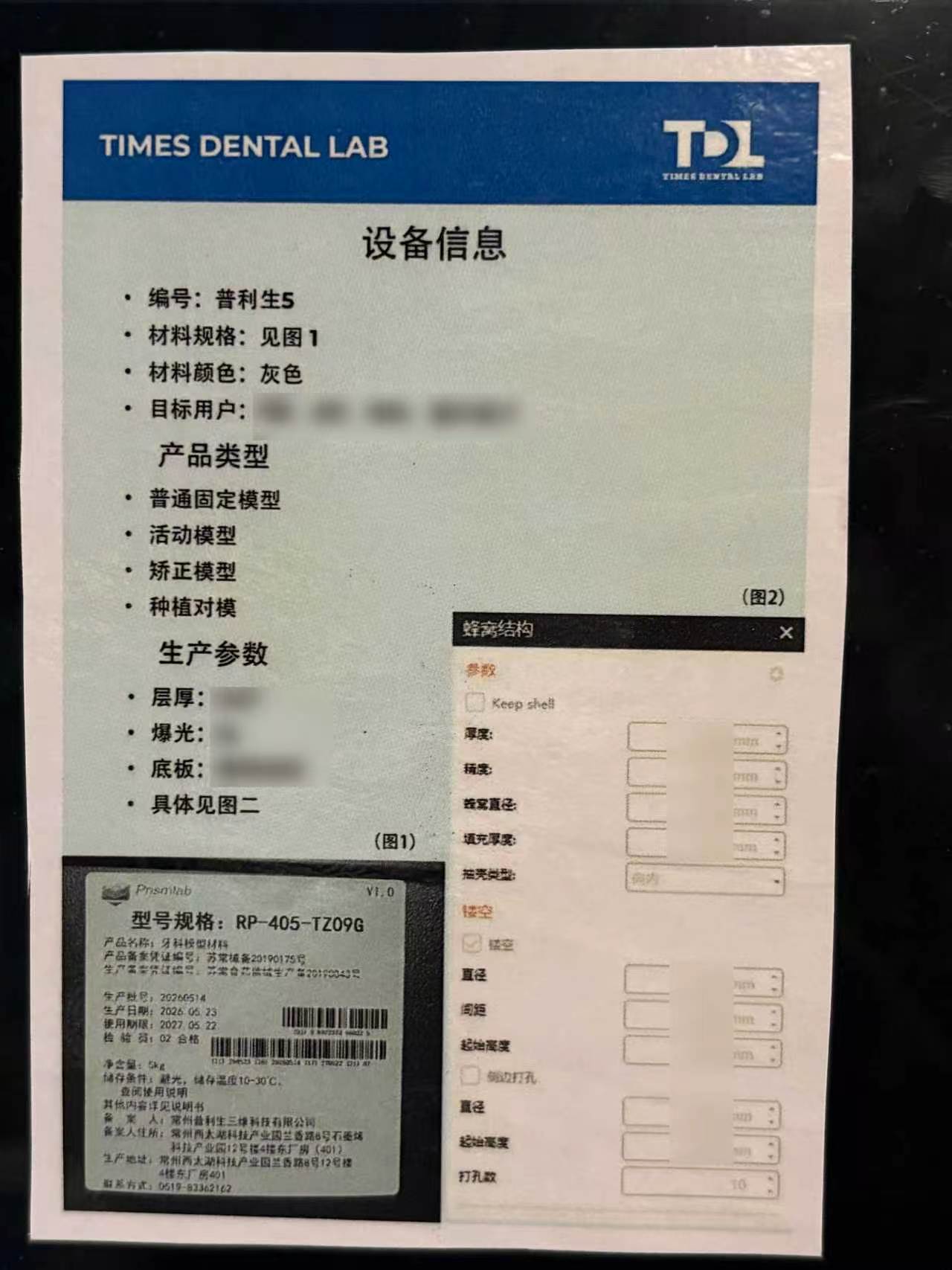
For this dental model production workflow, Times uses Prismlab dental model material with the model specification RP-405-TZ09G. The material label identifies it as dental model material, with a 5 kg net package and storage guidance to avoid light and keep the material at 10-30 degrees C.
From Case Data to Model Delivery: The Digital Workflow
The Times 3D printing workflow begins with case data review. Technicians check whether the digital files are complete and whether tooth position, arch information and key parameters are suitable for model production. This intake step helps prevent avoidable production errors before printing starts.
After file review, the team prepares the digital layout and adds supports where needed. The prepared file is then sent to the 3D printing equipment. When printing is complete, staff remove the printed models, clean them, cure them, remove supports and check the finished result before delivery.
This structured workflow helps connect case data, printed output and quality inspection in one clear process. It also supports batch production because each step has a defined purpose rather than relying on ad hoc handling from case to case.
File Review
Times checks the completeness of case data, arch information and production requirements before model printing begins. This step helps reduce avoidable questions and file-related printing delays.
Layout and Support Preparation
The team reviews model arrangement, support placement and print preparation before sending the file to the equipment. A controlled preparation step helps make batch printing more organized and repeatable.
Printing and Post-Processing
Printing connects approved digital preparation with physical model production. After printing, staff remove the models, clean them, cure them and remove supports so the models are ready for inspection.
Final Inspection
Before delivery, Times checks dimensions, surface quality, completeness, deformation and cracks. This helps prevent defective models from entering clinical or downstream laboratory use.
Batch Capacity: About 70 Models per Batch and About 5,000 Models per Month
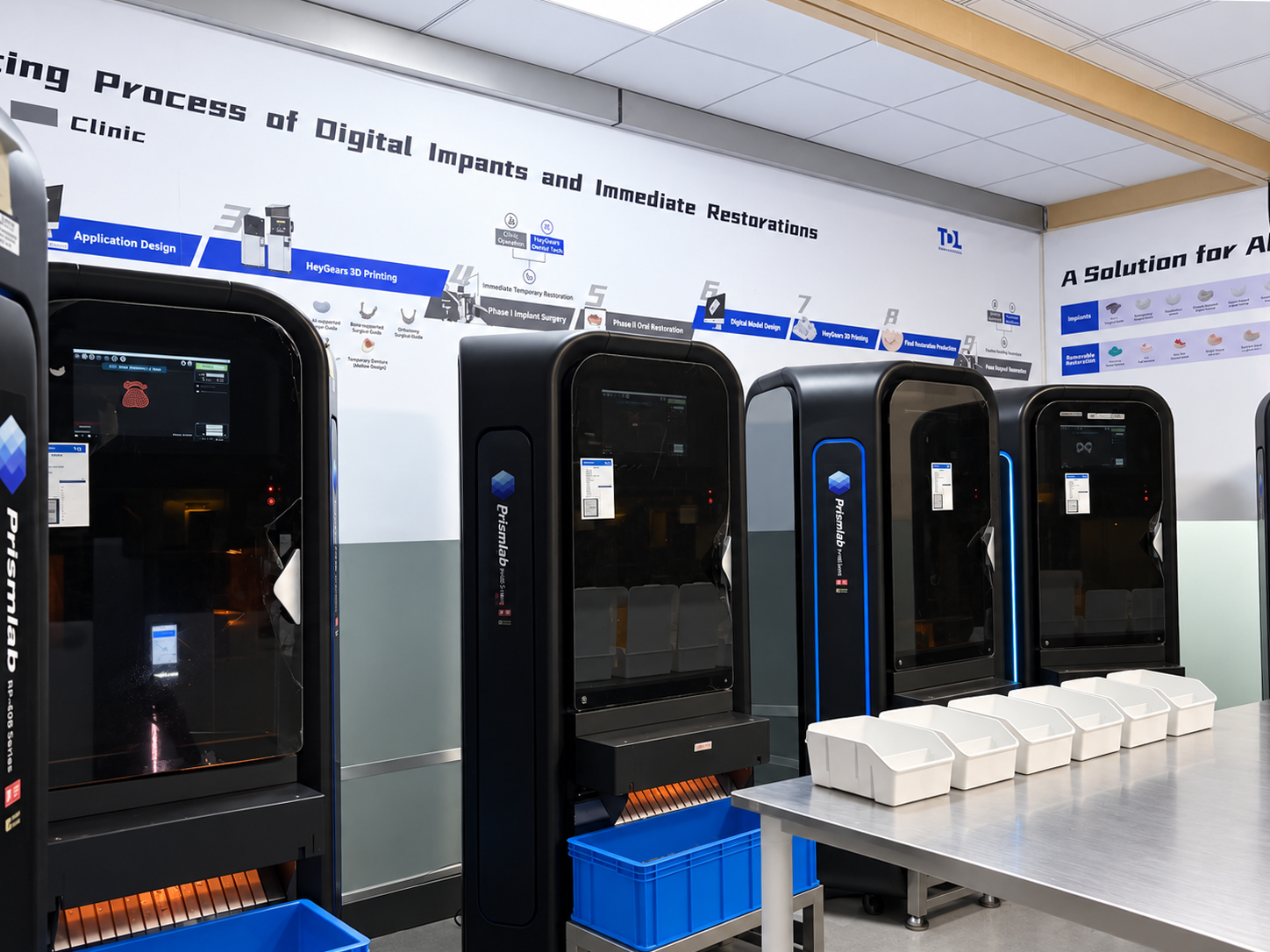
Based on Times Dental Lab production statistics from January to September 2026, the Prismlab 3D printing equipment can complete about 70 models in a single batch, with a batch printing time of about 3 hours. The monthly model output is about 5,000 pieces.
These figures should be understood as Times production data for this model workflow, not as a universal promise for every case type or every production schedule. Actual production planning still depends on file quality, model type, order mix, post-processing requirements and delivery arrangements.
For overseas clinics and partner labs, stable batch capacity matters because dental models often support downstream work. When model production is more predictable, the laboratory can better coordinate orthodontic model needs, restoration model preparation and aligner-model workflows.
Quality Control Before and After Printing
Production efficiency is useful only when it is supported by quality control. Times Dental Lab checks model cases both before and after printing to reduce the chance that file problems or print defects move into later steps.
Before printing, technicians review file completeness, tooth-position information, parameter details, layout and support settings. After printing, the team checks model dimensions, surface quality, structural completeness and visible issues such as deformation or cracking.
This two-stage inspection approach reflects a broader Times principle: quality control should happen before the final delivery step, not only after a product is finished. For more detail on Times quality thinking, see the Times article on dental lab quality control.
Why Prismlab 3D Printing Equipment Fits Dental Model Production
Prismlab, known in Chinese as 普利生, is a 3D printing technology company founded in 2005. According to the Prismlab company profile, the company develops 3D printing equipment and related materials for multiple application fields. Its product information also describes industrial stereolithography-style 3D printing systems and dental-related applications.
For dental laboratories, equipment selection is not only about print speed. A model-production workflow also needs training, stable operation, parameter familiarity, maintenance support and material supply. In this cooperation, Prismlab provides installation and commissioning, equipment operation training, layout training, remote diagnosis, regular maintenance, and consumable and spare-part support.
Prismlab's own materials information includes dental and orthodontic model-related applications. In Times' current model workflow, the material model information is recorded as RP-405-TZ09G dental model material. Times Dental Lab treats supplier documentation as equipment and material background, while final model release still depends on Times case review, post-processing and quality inspection.
How 3D Printed Models Support a Digital Dental Lab Workflow
3D printed dental models help bridge digital case submission and physical laboratory work. A clinic or partner lab may submit digital files, while the dental lab still needs a physical model for review, appliance fabrication, restoration support or production communication.
A predictable model workflow can support digital dentistry because the same case data can move from scan review to model printing and then into downstream laboratory steps. This is especially useful when a lab handles different case categories at volume. For a broader explanation, see Times Dental Lab's guide to digital dental workflow and restoration accuracy.
What Clinics and Partner Labs Should Provide
To help the model workflow run smoothly, clinics and partner labs should provide complete digital records and clear production instructions. The lab needs to know the model type, arch information, case purpose, any special requirements and the expected delivery plan.
Upper and lower scan files should be provided so the lab can prepare the correct arches for printing. The case type should also be clear, because orthodontic models, restoration working models and aligner models may have different production requirements.
If occlusion or the opposing relationship matters for the model, a bite or occlusion record should be included. Special trimming, base shape or presentation requirements should also be written clearly so the lab does not need to rely on assumptions.
A named approval contact helps the team confirm unclear file or production questions quickly. Delivery requirements should also be provided so Times can coordinate printing, post-processing and shipment timing.
Image Suggestions
Suggested image 1: Place a cover image at the top showing Prismlab equipment or a Times 3D printing production area. Alt text: Times Dental Lab 3D printing dental models with Prismlab equipment.
Suggested image 2: Place a workflow image after the section “From Case Data to Model Delivery.” Show file review, layout, printing, cleaning, curing and inspection.
Suggested image 3: Place a real production photo after the capacity section. Show a batch of printed dental models or models arranged after post-processing.
Suggested image 4: Place a QC photo after the quality-control section. Show a technician checking model surface quality, completeness or dimensions.
FAQs
What are 3D printed dental models used for?
3D printed dental models can be used for orthodontic workflows, restoration working models, clear aligner model workflows and laboratory communication. The exact use depends on the case type and prescription.
Does 3D printing replace quality control?
3D printing does not replace quality control. Times Dental Lab checks files before printing and checks model dimensions, surface quality and completeness after printing.
How many dental models can Times print in one batch?
According to Times Dental Lab production statistics from January to September 2026, one batch can include about 70 models, with a printing time of about 3 hours. Actual planning depends on case mix and production requirements.
What monthly output does this model workflow support?
The current workflow supports about 5,000 models per month based on Times production statistics from January to September 2026. This is production-context data, not a universal delivery guarantee for every order.
What files should be submitted for 3D printed dental models?
Clinics and labs should send complete upper and lower scans or approved digital files, model type instructions, case purpose, any bite or occlusion records if needed, and special trimming or base requirements.
What Prismlab dental model material does Times use?
For this workflow, Times uses Prismlab RP-405-TZ09G dental model material. The material label information supports identification and traceability within the model production process.
Why did Times Dental Lab introduce Prismlab equipment?
Times Dental Lab introduced Prismlab equipment to support standardized model production, batch efficiency and a clearer digital workflow from case data to inspected printed models.
Conclusion
Times Dental Lab's cooperation with Prismlab connects 3D printing equipment, structured production steps and model quality inspection. The workflow is now used for orthodontic models, restoration working models and clear aligner models, supporting more stable batch production inside the laboratory.
For partner labs and clinics, the practical value is not only faster printing. The more important point is a clearer workflow: complete case data, controlled print preparation, defined post-processing and inspection before delivery. To discuss digital model production or send a case for review, contact Times Dental Lab.